> For the complete documentation index, see [llms.txt](https://docs.powerembedded.com.br/llms.txt). Markdown versions of documentation pages are available by appending `.md` to page URLs; this page is available as [Markdown](https://docs.powerembedded.com.br/en/administration-portal/settings/emails.md).
# Emails
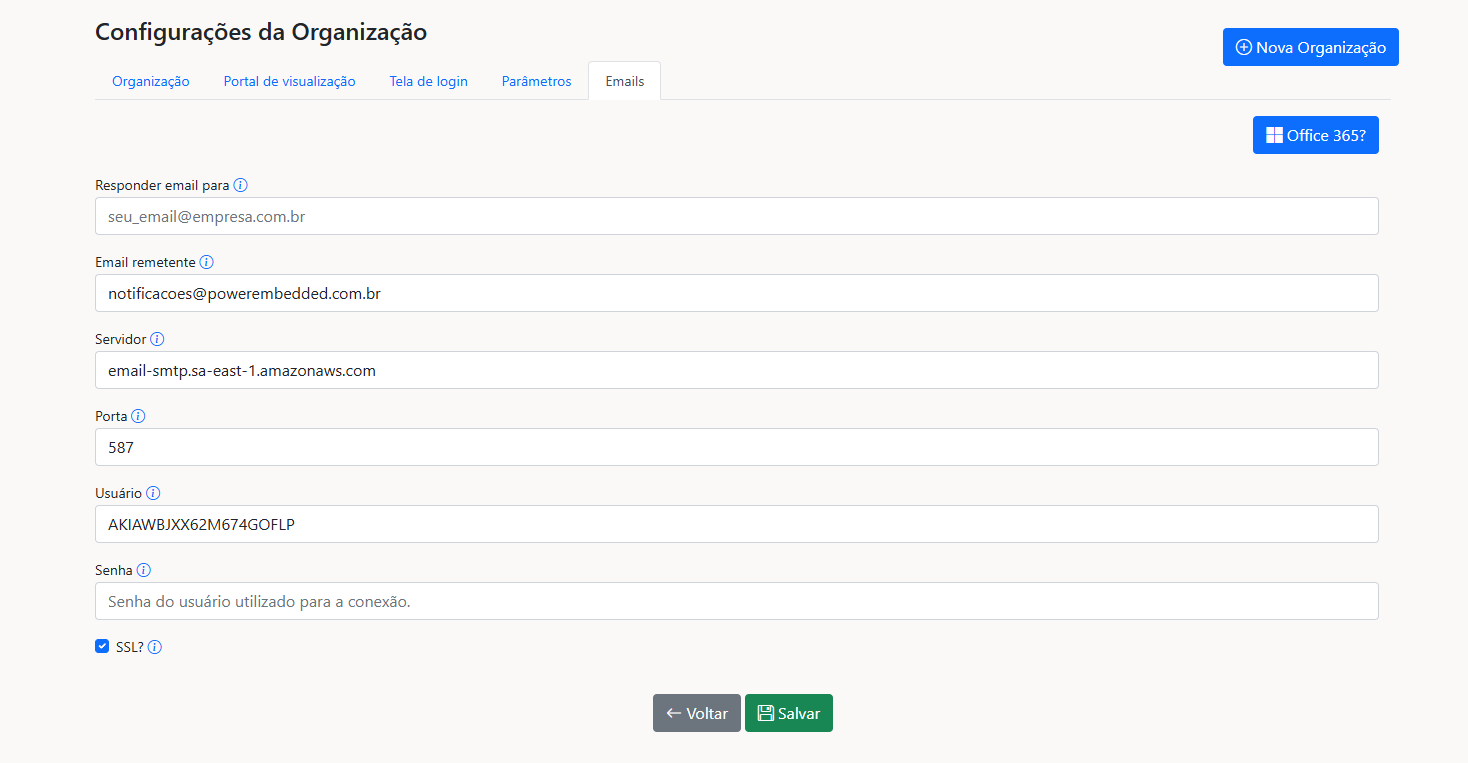
There are several actions that trigger email notifications in Power Embedded.
To ensure a higher level of customization in delivering these messages, you can configure your company's SMTP account so that even email deliveries use your visual identity.
**Note:** If a user needs to reply to an email sent by the system, you can differentiate between the email responsible for sending and the one where users can send responses.
{% hint style="warning" %}
If an SMTP account is not configured, by default, these communications will be sent using Power Embedded's standard email ().
{% endhint %}
### Actions that trigger email notifications:
* Forgot password?
* Create or change password
* Resend confirmation email for first access
* Report subscription
* Request access to a report
* Report import notification
* Report access denied
* Report import access denied
###